Transfers and scouting
The transfer market is where a squad is rebuilt between matches. Touchline's market is shared with every AI club in the world, each with its own budget and its own way of doing business, and you can only bid for the players your scouts know about.
Transfer windows
Clubs can buy and sell only while a window is open. The summer window runs from the start of the season to 1 September, and the winter window through January. The header counts down the rounds left, and the last round before a window shuts is deadline day, when the AI clubs do noticeably more business.
The transfer market
The Transfers screen opens on your money: the transfer budget (your club's balance, which is also the most you can commit in fees) and the wage room left in your weekly wage budget. Below them is the market, filtered by name, position, age, rating, value and division, with options to show only players their clubs have listed for sale or only those you can afford.
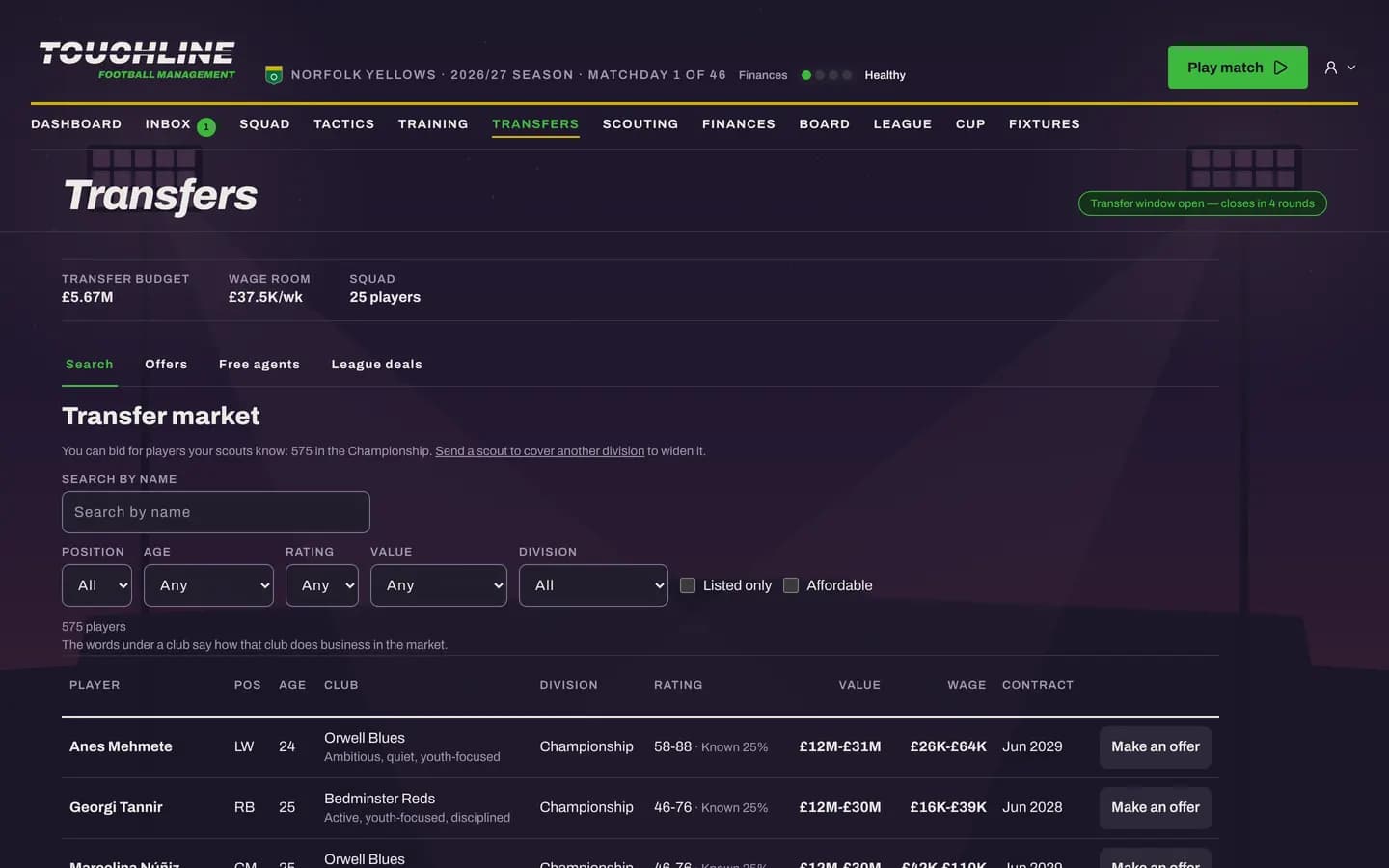
Known. How much of a player your scouts have seen. At a low percentage his attributes, wage and value show as wide ranges; scouting him narrows them. Your own players are fully known. The words under each club, such as “ambitious”, “patient” or “youth-focused”, describe how it does business: some sell readily, others hold out for their price.
Making an offer
Press Make an offer on a player to bid. A deal can be more than one cash sum:
- A fee, paid now or spread in instalments over later seasons, which lets you sign a player whose full price is above today's budget.
- Add-ons paid only if they happen: after a number of appearances, after a number of goals, or on promotion.
- A sell-on: a share of the fee if you sell him on later.
The selling club may accept, refuse or come back with a counter-offer. Once the clubs agree, you agree personal terms with the player: a weekly wage and a contract of one to five seasons. A wage above your remaining wage room is allowed, but it puts you over budget, and the board notices.
Selling players and incoming bids
Put a player on the transfer list from the squad screen and AI clubs will start to bid. Clubs can also approach you for a player you have not listed. Bids land under the Offers tab and in your inbox, and Continue stops when one needs an answer. You can accept, refuse or counter, and an AI club may raise its bid a couple of times before it walks away.
Loans
Loans move a player for a while without a fee, and come in two kinds:
- Season loans run to the end of the season. The borrowing club pays 50 to 100% of his wage, and the deal can carry an option to buy.
- Short loans run to January, or from the winter window to the end of the season. The borrower pays 30 to 50% of his wage.
You can have up to four players on loan at your club at once. To send one of your own out for games, choose Loan out from the squad screen: up to three AI clubs answer with offers, which wait under the Offers tab for you to pick one. The loans list shows every deal's state, from offered to on loan, returned, recalled or bought.
Free agents and league deals
Players without a club appear under Free agents. There is no fee, only wages, which makes them the cheapest way to fill a gap. League deals lists the transfers between other clubs, so you can see who is strengthening and where the money is going.
Scouting
You start with a small network of scouts, each with a weekly wage and two judgements: judging ability (how well he reads what a player can do now) and judging potential (what he might become). Give each scout a job:
- Watch a player from your shortlist, to narrow his ranges until you know exactly what you would be buying.
- Cover a division, at home or abroad, optionally looking only for one position or players up to a certain age. Covering a division adds its players to the market you can bid in.
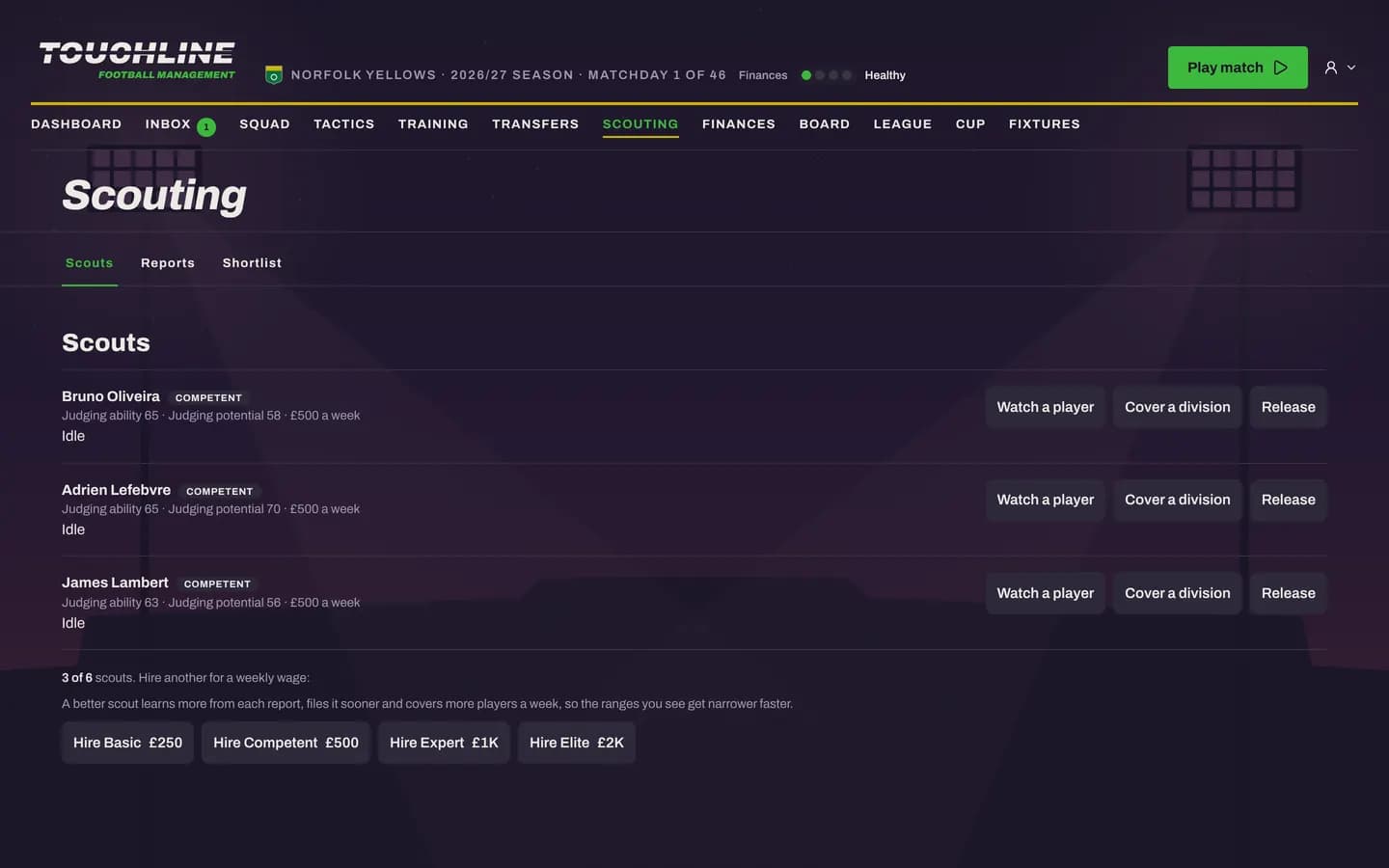
Scouts file reports as they learn, and the shortlist keeps the players you are tracking in one place. You can hire more scouts, up to your network's limit, or release one to save his wage.