Getting started
Touchline is a free football management game that runs in your browser. You take charge of one club, set the team up, and a live match engine plays every pass of every game you manage. This chapter takes you from a new account to your first match.
Make an account
Touchline needs only an email address and a password. Sign up here and you land on Your games, the list of your saves. A save is one career at one club; you can keep several and switch between them, and each is its own world that only you play in.
There is nothing to install and nothing to pay. The game works on a desktop or laptop browser and on a phone, where the menu moves to a bar along the bottom of the screen.
Choose your club
Every new game starts in the same world: the 92 clubs of an English-style pyramid, spread over four divisions. The Premier League has 20 clubs, and the Championship, League One and League Two have 24 each. The club names are affectionate parodies, so you will recognise the towns if not the badges.
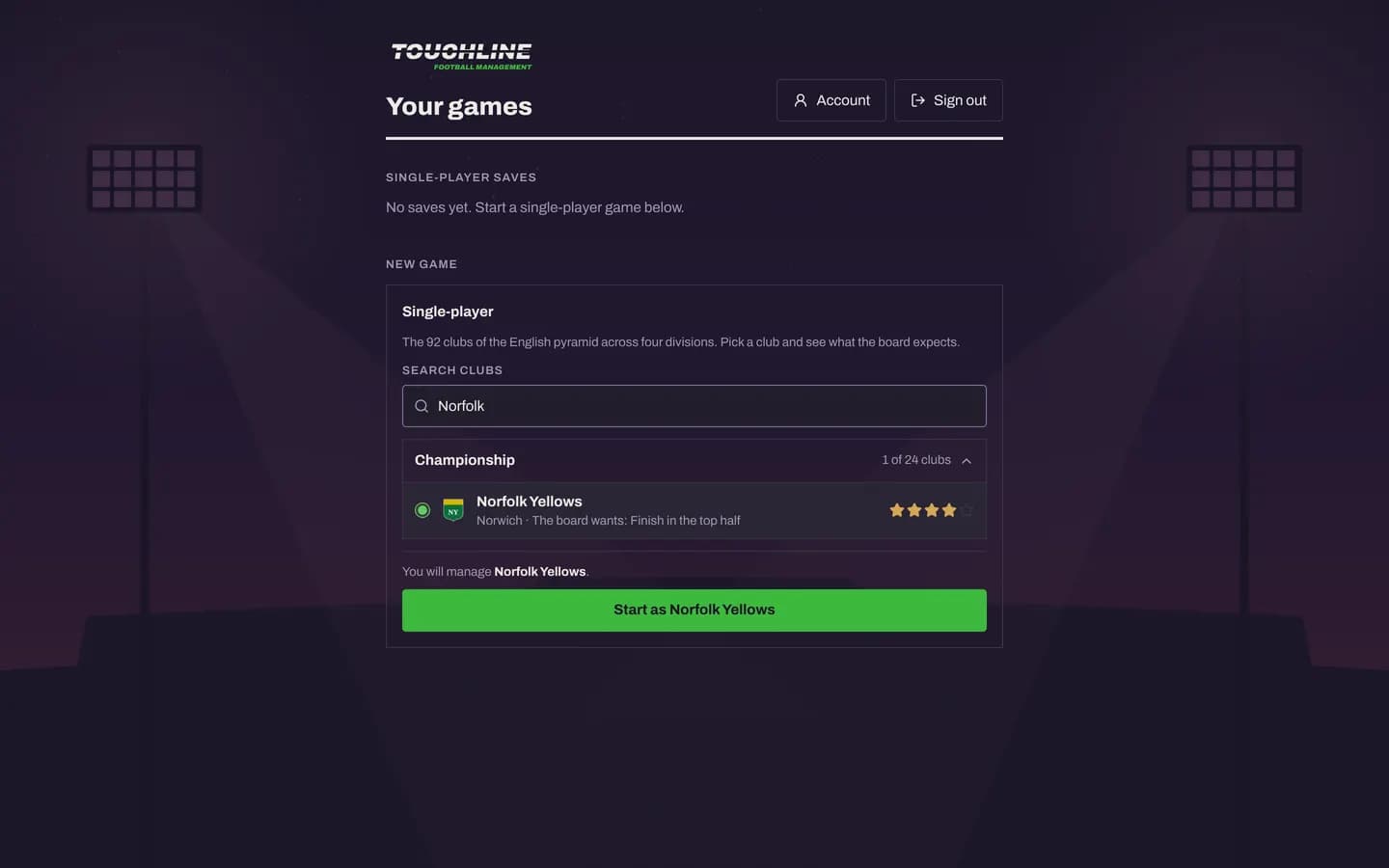
Each club in the list shows three things worth reading before you choose:
- Stars, from one to five, for how strong the squad is. A five-star side is expected to compete at the top of its division.
- The board's target, such as “Win the league”, “Finish in the top half” or “Avoid relegation”. It is the yardstick your first season is judged by.
- The division. Starting low means a longer climb, but every promotion is a new challenge and the cup lets a small club test itself against bigger ones.
Create your manager
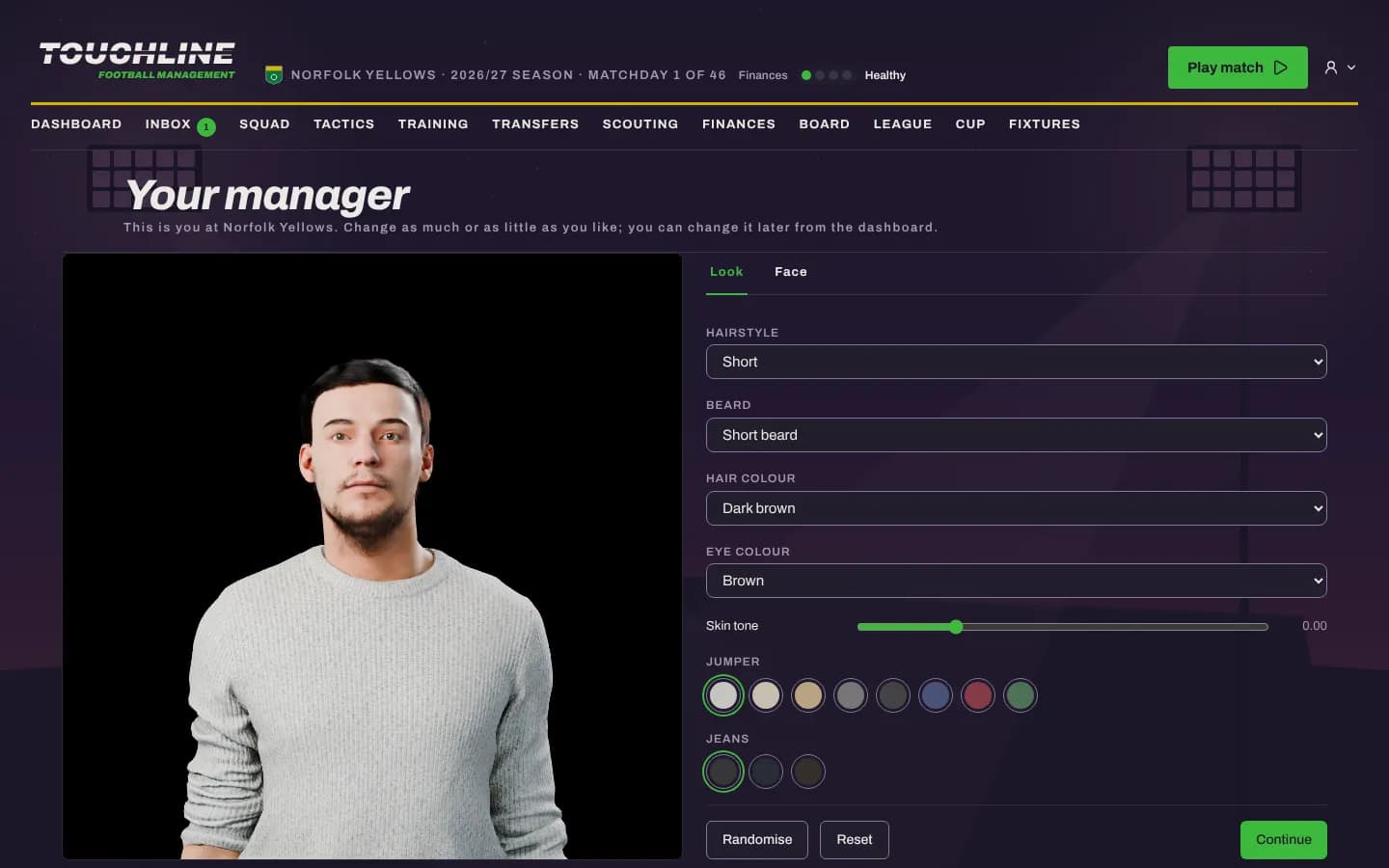
Before the first match you meet yourself: a 3D manager you can dress and style. Choose the hairstyle, beard, hair and eye colour, skin tone, jumper and jeans, or press Randomise. You can change the look later from the dashboard.
Your first press conference
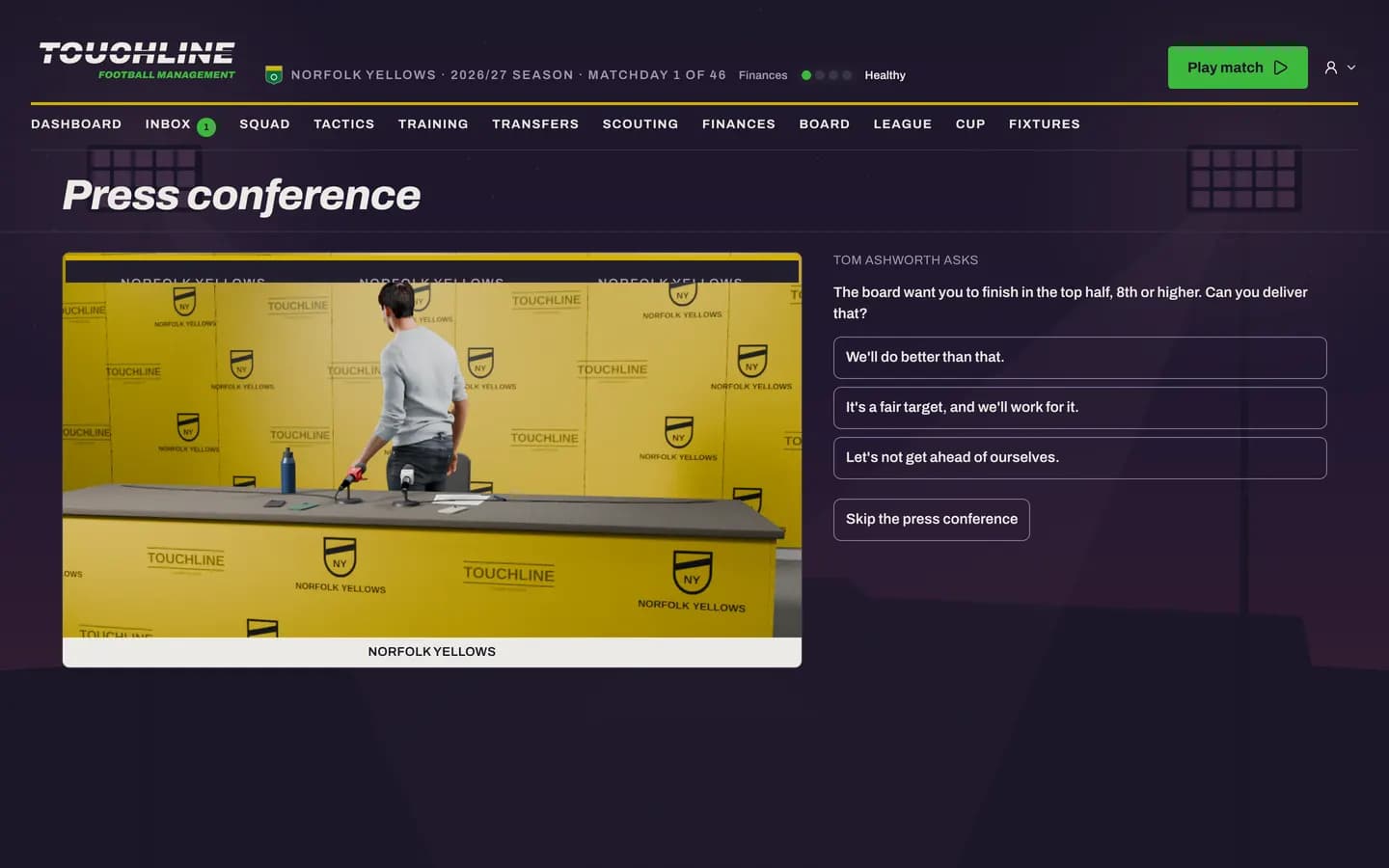
A new manager is unveiled to the press. A reporter asks three questions built from your club's own situation, such as the board's target, and you choose one of three replies to each. Bold promises and modest ones land differently with the board and the players, so answer the way you mean to manage. If you would rather get straight to football, you can skip it.
The dashboard
The dashboard answers one question: what do you need to do next? It shows your next match, your place in the table, the board's target and how confident it is in you, recent results, squad fitness, your finances, alerts that need you and the latest post in your inbox.
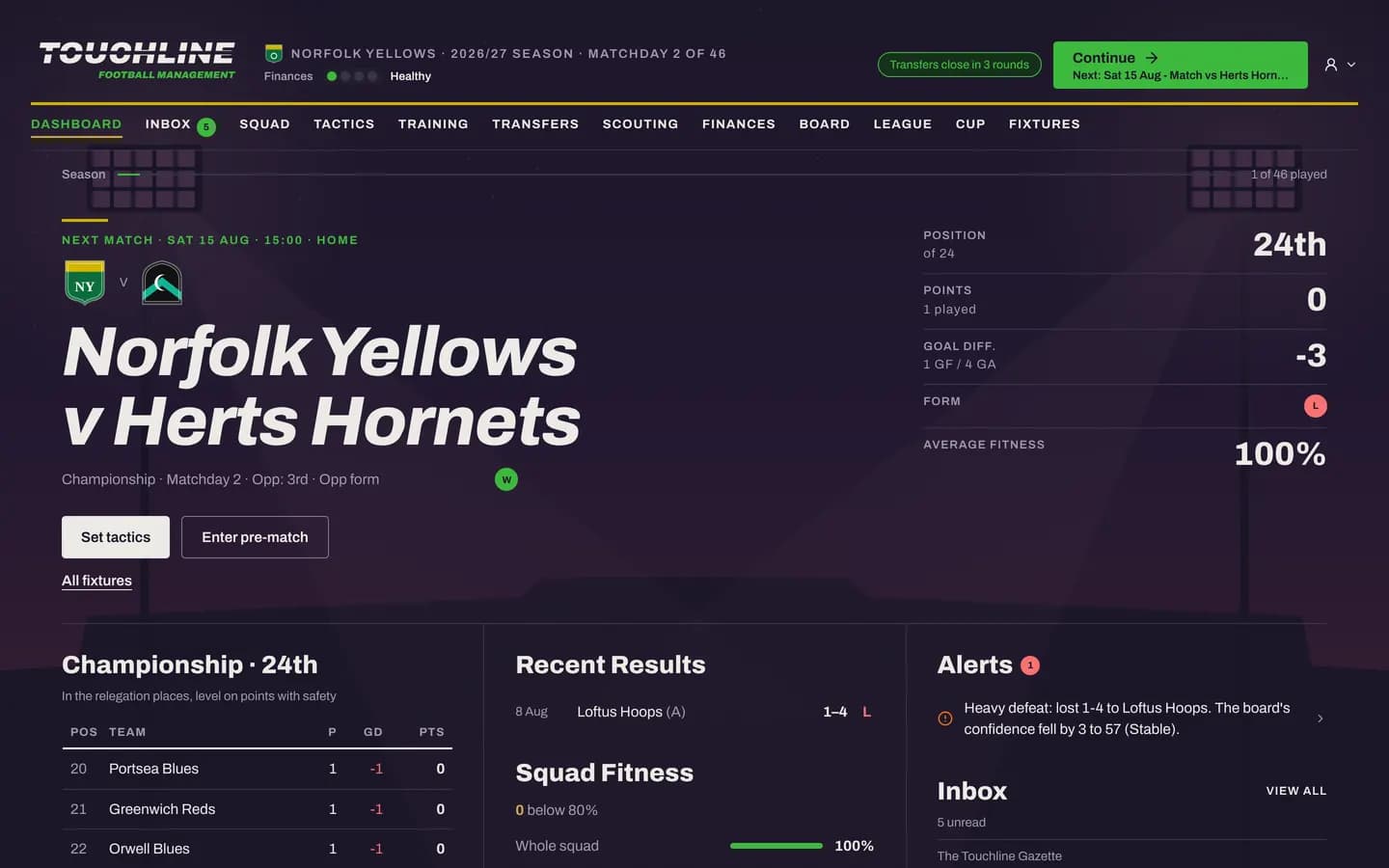
In your first days a Your first week checklist walks you through the essentials: check your line-up, choose team instructions, set this week's training, look at the transfer market, then play your first match.
The Continue button
Time in Touchline moves only when you press Continue. Each press moves the calendar on to your next match or to the next thing that needs a decision, such as a bid for one of your players, and stops there. Other clubs play their matches, the transfer market moves and your players train while the days pass.
On match day the button becomes Play match and takes you to the pre-match screen. The match day chapter explains what happens next.
Finding your way around
The main menu holds every screen of your club:
- Dashboard and Inbox: what is happening now, and the club's post.
- Squad, Tactics and Training: your players and how they play. See Squad, tactics and training.
- Transfers and Scouting: buying, selling and loans. See Transfers and scouting.
- Finances and Board: money and your job. See Running the club.
- League, Cup and Fixtures: the competitions. See Seasons and competitions.
The strip under the logo always shows your club, the season, the matchday and the health of your finances, so you never lose your place.